

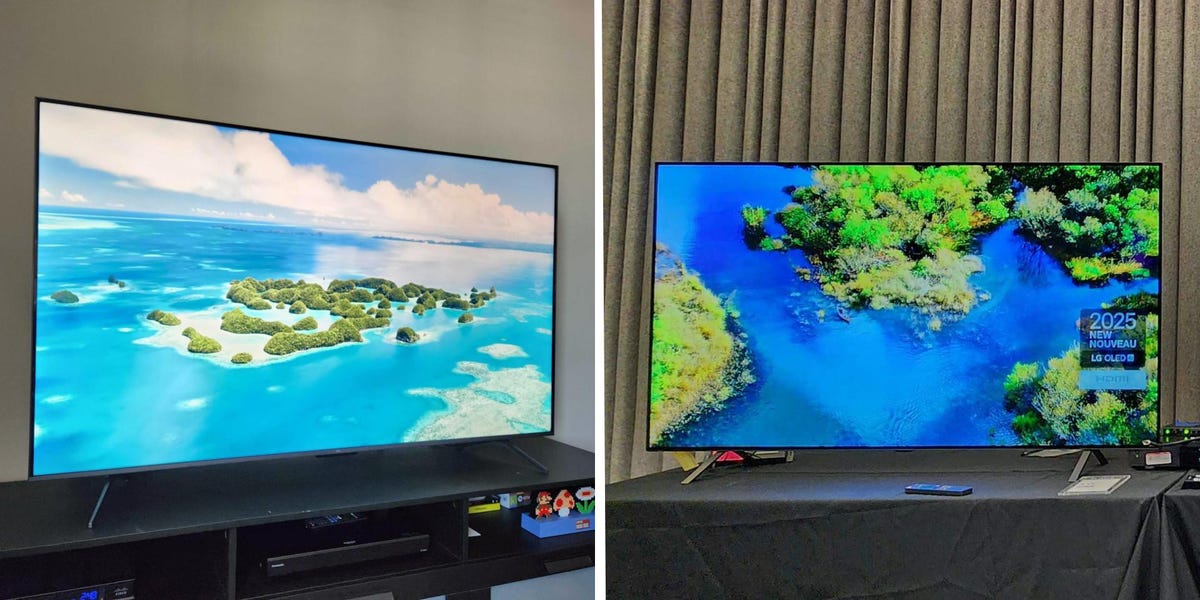
Finding the best budget TVs isn’t as simple as grabbing the cheapest screen you see. Plenty of low-priced models cut corners in ways that actually matter, and with a bit of digging, you can often find much better options for the same money. That’s where my years of experience reviewing TVs come in — I’ve narrowed things down to the best budget TVs that are genuinely worth buying.
At the top of the list is the TCL QM6K. It’s a budget-friendly QLED that stands out thanks to its Mini LED backlight, which gives it a noticeable edge in picture quality over most TVs at this price. If you’re set on getting an OLED without spending a ton, the LG B5 is the best option. It costs more than comparable QLEDs, but the jump in contrast and viewing angles is well worth it.
Below, you’ll find all of my picks for the best TVs on a budget. Each one earned its spot by offering clear advantages over similarly priced competitors. I’ve linked to the 65-inch version of each TV, but you can choose a smaller or larger size on Amazon. The QM6K is available in 75-, 85-, and 98-inch sizes, making it perfect for shoppers who want an affordable extra-large TV for the Super Bowl.
Our top picks for the best budget TVs
Best overall: TCL QM6K – See at Amazon
Best OLED: LG B5 – See at Amazon
Best entry-level model: TCL S5 – See at Amazon
Best smart TV interface: Roku Plus Series – See at Amazon
Best overall
TCL 65-inch QM6K QLED 4K TV
The QM6K is an excellent entry-level Mini LED TV with solid contrast, vibrant colors, and decent black levels. However, its HDR brightness capabilities are limited compared to step-up models.
The TCL QM6K is the best budget TV I’ve tested, offering a viewing experience that surpasses competitors’ in this price range. The 65-inch model is typically on sale for $550, and even extra-large 85- and 98-inch models are often discounted to surprisingly low prices.
Most budget-friendly TVs suffer from poor contrast, making dark scenes appear washed out and flat, especially when watching TV at night. The QM6K, however, uses a Mini LED backlight with local dimming to greatly enhance its contrast. It also delivers a wide range of colors thanks to its use of quantum dots. These features are rare to find in TVs at this price.
In my tests, the TV’s backlight control was excellent. Though black levels aren’t as deep as they are on pricier models, they’re still a lot inkier and much more uniform than they are on most cheap TVs. The QM6K is also effective at minimizing blooming, a common issue in Mini LED sets that causes halos around bright objects.
Steven Cohen/Business Insider
That said, bright HDR videos don’t pop as intensely as they do on midrange and high-end TVs. I measured a peak brightness of 557 nits on a 10% HDR test pattern and 736 nits on a 50% test pattern. Those numbers are nothing to scoff at, but they’re under the 1,000-nit range that I recommend as the minimum for the best HDR experience.
Viewing angles are also limited, so image quality does degrade if you sit to the side of the screen. That said, this area has been improved compared to TCL’s older Q65, so the drop in color and contrast accuracy isn’t as large as I typically see on entry-level models.
Meanwhile, gaming capabilities received a major upgrade thanks to a notable increase in refresh rate. The QM6K supports up to 144Hz when paired with a PC and 120Hz when paired with a compatible gaming console. This results in smoother motion in games that support high-refresh-rate modes, and cements this model as the best gaming TV in its class.
General smart TV navigation and usability are also solid, thanks to the QM6K’s built-in Google TV interface. Although I’ve encountered intermittent glitches on older TCL TVs I’ve reviewed, the QM6K was free from any notable bugs, providing a seamless experience for streaming apps and adjusting settings.
Note: The QM6K is available in sizes from 55 to 98 inches, offering a wide range of options. But if you’re looking for the best 50-inch TV on a budget, I recommend the first-gen Amazon Omni QLED. That TV’s contrast performance isn’t as good as the QM6K, but it’s one of the few 50-inch models available with local dimming.
Read our TCL QM6K 4K TV review.
Check out our guide to the best TCL TVs.
Best OLED
LG 65-inch B5 OLED 4K TV
The B5 is LG’s most affordable OLED TV. It can’t match the brightness of the brand’s pricier models, but it still offers infinite contrast, making it an excellent budget OLED for home theater fans.
The best OLED TVs are celebrated for delivering top-notch picture quality, but they’re not exactly known for their affordability. In fact, the term “budget” is a bit of a stretch for any OLED model. But, if you’re hoping to snag an OLED without paying high-end prices, LG’s B5 is as affordable as these displays get.
The B5 checks all the major OLED boxes. Its emissive panel enables pixel-level contrast control, something even the best Mini LED TVs can’t quite match. That tech is what gives OLEDs their signature deep black levels, free from any backlight halos around bright highlights. (If you want a deeper dive into how OLED and QLED differ, visit our QLED vs. OLED guide.)
Steven Cohen/Business Insider
You also get much wider viewing angles than any QLED can offer, so the picture still looks great even when you’re sitting off to the side. And with a 120Hz refresh rate, the B5 is well-suited for smooth motion during high-frame-rate gaming on supported consoles and PCs. Just note that it doesn’t go up to 144Hz or 165Hz like some of LG’s pricier OLED models.
Compared to more expensive OLEDs, the B5 also lags behind a bit in brightness and color volume. It tops out at around 700 nits — solid, but dimmer than midrange OLEDs that reach 1,000 to 1,400 nits, and far under high-end options that push up to 2,400 nits. Premium OLEDs from Samsung and Sony also use quantum dots for richer colors, which the B5 doesn’t. As a result, some HDR scenes won’t look quite as vivid here as they do on those more expensive sets.
Even so, the B5 still delivers picture quality that outclasses the TCL QM6K and every other budget model I recommend in this guide, albeit for a higher price. LG offers the B5 in 48-, 55-, 65-, 77-, and 83-inch sizes, making it easy to find one that fits your space.
Check out our guide to the best LG TVs.
Best entry-level model
TCL 65-inch S5 4K TV with Fire TV (2024)
The S5 is one of TCL’s upper entry-level TVs, so its contrast and brightness capabilities are limited. But it’s still able to produce a wide range of colors and it has Amazon’s Fire TV interface with Alexa built-in.
TCL’s S5 doesn’t wow with advanced picture features, but it’s one of the best cheap TVs for basic viewing needs. It’s also ideal for people who want an affordable secondary display for a bedroom.
The S5 is a newer version of my previous pick in this category, the S4. The S4 is now hard to find in stock, and this revised model offers some improvements. Most notably, the S5 can provide a wider range of colors. However, unlike the more expensive QLED models I recommend, the S5 still uses a standard LED panel without local dimming.
This means it can’t get as bright as my other picks, and its black levels look more elevated and washed out when watching dark scenes with the lights off. Although it technically supports major HDR formats, it cannot precisely control contrast enough to fully showcase the benefits of high-dynamic-range content.
While those limitations are notable, the S5 is still solid for casual viewing, especially if you mostly watch cable TV and SDR (standard dynamic range) streaming content. Home theater enthusiasts and gamers should look elsewhere, but the S5 is a good fit for those who just want a reliable, cheap TV that gets the job done.
Buyers also have their pick of smart TV interfaces, with S5 options available in Fire TV or Google TV models. The S5 is also a particularly good choice for shoppers who want a smaller display since it comes in 50- and 43-inch sizes.
Best smart TV system
Roku 65-inch Plus Series QLED 4K TV (2025)
The Roku Plus Series is the brand’s most affordable QLED TV model. This second-generation edition uses a Mini LED backlight for improved local dimming, but it still can’t match the HDR brightness capabilities of the step-up Pro Series.
Although TCL’s QM6K pulls ahead in terms of pure picture quality, the Roku Plus Series is a great budget QLED if your top priority is smart TV convenience. It runs Roku OS, which is my favorite operating system because it’s just so easy to navigate.
The Plus Series our reviewer tested was the first-generation model, but Roku has since rolled out a refreshed second-gen edition. The new model keeps all the core features intact while upgrading to a Mini LED backlight for better contrast. Since the older edition is now discontinued and hard to find, the revised Plus Series is my new pick for this spot.
Roku’s interface is clean and snappy, with a simple grid of big tiles for your favorite streaming apps. I actually prefer this approach over the more cluttered, content-heavy layouts on platforms like Fire TV OS. And if you do want rows of curated recommendations, the “What to Watch” section on the sidebar has you covered.
The remote also deserves a shout-out. If it ever slips between the couch cushions, the Roku app can trigger an audio chime to help you locate it. However, unlike the first-gen Plus Series, the latest model comes with Roku’s Enhanced Remote rather than its Pro Remote, so it doesn’t have a rechargeable battery or backlit keys.
On the picture-quality front, the Roku Plus Series holds its own. Like the TCL QM6K, it uses a QLED panel with Mini LED local dimming, offering solid HDR performance for the price. It won’t match the brightness of midrange or flagship models, but it’s perfectly capable for everyday viewing.
That said, there are trade-offs. Viewing angles aren’t great, and the 60Hz refresh rate is a step down from the QM6K’s 144Hz, which could matter to gamers. But if what you really want is an affordable, reliable smart TV with a user-friendly interface, the Plus Series delivers one of the smoothest streaming experiences in this price range.
Check out our guide to the best Roku TVs.
What else we considered
Steven Cohen/Business Insider
Walmart 50-inch Onn 4K TV – See at Walmart
Onn is Walmart’s in-house electronics brand, and its TVs are some of the cheapest you can buy. That low price comes with trade-offs, though. Onn TVs are pretty bare-bones as far as modern smart TVs go. We tested the 55- and 50-inch models and found that they work just fine for the money, but the picture is fairly dim, contrast is low, the color range is limited, and you don’t get a voice remote. In most cases, we think it’s worth spending a little more for something like the TCL S5, but if you’re truly trying to spend as little as possible, an Onn TV can still get the job done.
Read our Walmart Onn TV review.
How we test budget TVs
Ryan Waniata/Business Insider
To select the best budget TVs, our team relies on a combination of hands-on testing and research informed by more than a decade of experience covering home entertainment products.
To review TVs, we evaluate key performance parameters, including picture clarity, contrast, black levels, HDR brightness, color range, viewing angles, and smart TV navigation. Brightness is measured using an X-Rite iDisplay Plus colorimeter with test patterns from the Spears & Muncil Benchmark 4K Blu-ray disc.
But test patterns only reveal so much, so we also sample an assortment of scenes from specific movies and TV shows on every TV we test. Sequences have been selected to showcase HDR highlights, shadow detail, upscaling, and other picture-quality attributes. We watch displays in both dark and bright environments to evaluate nighttime and daytime viewing conditions. Our demo material comes from various sources and includes 4K, HD, and SD content from Blu-ray discs, streaming services, and cable TV.
To learn more about our review process, visit our breakdown of how we test tech products.
Budget TV FAQs
Steven Cohen/Business Insider
How much should you spend on a budget TV?
The best budget TVs vary in price depending on the size and panel type you choose. Standard LED TVs are the most affordable, followed by QLED TVs, and then OLED TVs, which are positioned at the higher end.
In general, a 65-inch 4K LED TV on a budget will cost around $300 to $400. Meanwhile, budget-friendly 65-inch QLED TVs with better color and contrast capabilities can be found for around $500 to $900. Finally, OLED TVs are a lot pricier, with the cheapest 65-inch models starting at around $1,000 when on sale.
If you’re on a strict budget and don’t want to spend more than $500, check out our guide to the best TVs under $500.
What are the most reliable cheap TV brands?
Hisense and TCL are recognized as two of the best budget TV brands. These companies sell many affordable entry- and midlevel TVs that often deliver better image quality than similarly priced displays from LG, Samsung, Sony, and Panasonic. Likewise, Roku and Amazon have entered the value TV market, and their latest budget TVs are solid options, particularly when they’re on sale.
However, budget TVs from value-oriented brands tend to offer cheaper builds, more glitches, and worse quality control than pricier TVs. That said, none of the inconveniences we’ve encountered with TCL or Hisense TVs have been big enough to prevent a recommendation.
What are the downsides to buying a budget TV?
The best cheap TVs offer impressive performance for the money, but displays in this class must make some compromises to keep costs down. Most notably, brightness, color range, contrast, and build quality are often limited compared to pricier sets.
When buying an LED TV on a budget, you’ll often miss out on picture-quality features like local dimming and wide color support. This results in a dimmer image with lighter black levels and less vivid HDR performance than you’d get on a pricier display. If you step up to a budget QLED, you can find some models with those aforementioned features, but brightness and contrast control will still be less advanced than you’d see on a high-end model. Likewise, designs tend to be flimsier, and operating system speeds are often slower.
However, entry-level OLED TVs make far fewer concessions in performance and build quality compared to midrange and high-end options. This is because even the cheapest OLED displays are still more expensive than budget QLED and LED models. That said, budget OLEDs can’t get quite as bright as premium ones, and their picture processing is less advanced.
Do budget TVs have good sound quality?
Even the best budget TVs often have mediocre built-in speakers. Although these integrated sound systems can get the job done for casual viewing, we recommend upgrading to a soundbar for a better experience. Reliable budget soundbars can be found for as little as $100, and these entry-level offerings will still offer a decent improvement in audio quality compared to most TV speakers. Models with advanced surround sound and Dolby Atmos capabilities cost more but provide a bigger jump in immersion.
Check out our soundbar and speaker buying guides to see our top recommendations:
Can you get a cheap TV with 120Hz gaming support?
Though not common, a few budget-friendly TVs offer HDMI 2.1 support and a 120Hz refresh rate. In this guide, both the LG B5 and the TCL QM6K have those features. This enables those models to support advanced gaming capabilities when paired with a PS5, Xbox Series X, Switch 2, or PC.
HDMI 2.1 ports enable a display to receive a 4K/120Hz signal, along with ALLM (Auto Low Latency Mode) and VRR (Variable Refresh Rate). When used with a compatible gaming system, these features provide smoother motion with minimized screen tearing and lag.
To receive an HDMI 2.1 signal, every device in your home entertainment chain needs to support HDMI 2.1. Likewise, you need to connect all of your components with an ultra-high-speed HDMI cable capable of 48Gbps transmission. Visit our guide to the best HDMI cables for top picks.
When are TVs the cheapest to buy?
The best cheap TVs often drop to their lowest prices during big deals events like Black Friday, Cyber Monday, and Amazon Prime Day. Likewise, we see great TV discounts on holidays like Memorial Day, Fourth of July, and Presidents Day, as well as around big sporting events like the Super Bowl and March Madness.
For more TV recommendations across budgets and sizes, check out our other display guides:
